One workspace per brand
Separate product questions, AutoDM workflows, and content insights by client so the wrong brand link never enters the reply.
Keep each brand’s Instagram account in its own workspace. When someone asks about a product, size, colour, or link, send the answer the brand already approved and leave room for a human when the question is more complex.
Focused agency pilot: client workspaces, Meta OAuth connections, AutoDM workflows, and Instagram content insights. Content planning and broader campaign operations are coming next.
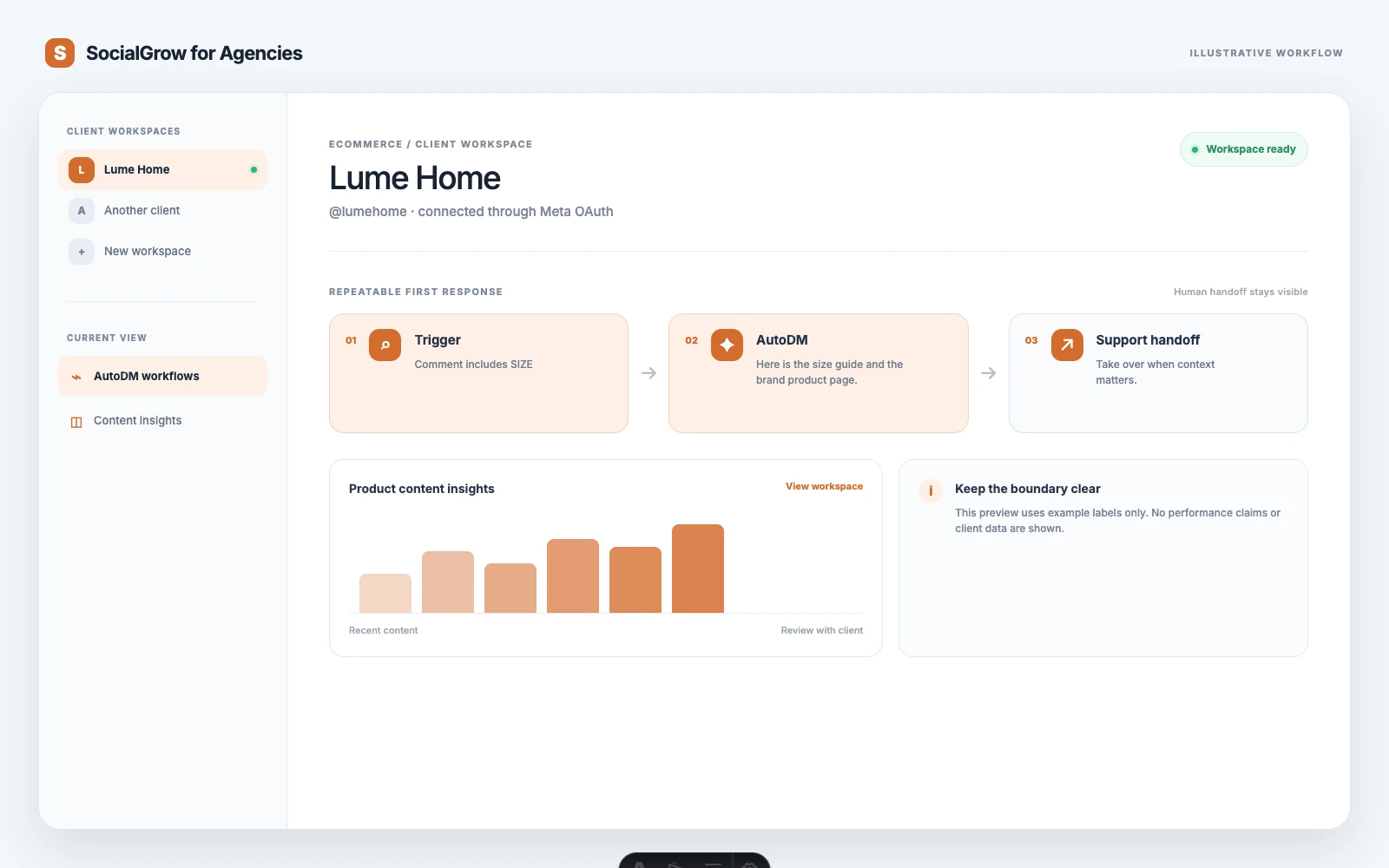
Agencies do not need another generic social media dashboard. They need a clean boundary between client account context, repeatable first replies, and the moments that still need a strategist.
Separate product questions, AutoDM workflows, and content insights by client so the wrong brand link never enters the reply.
Use a clear trigger for questions the brand sees repeatedly, such as SIZE, LINK, INGREDIENTS, or RESTOCK.
Point the person to the brand’s existing product or support page. Keep the message useful without pretending SocialGrow is a catalogue system.
Use synced content and Instagram insights in the client workspace to inform the next creative and conversation loop.
Use the vertical-specific trigger as a starting point. Keep qualification, advice, and anything sensitive with the client-facing team.
Give the ecommerce client a separate context, then connect its professional Instagram account through Meta OAuth.
Start with the question that creates the most avoidable delay. Write the answer in the brand’s tone and include the existing destination link.
When a person asks about an order, exception, complaint, or recommendation, hand the conversation to the brand’s support or sales team.
Use questions and Instagram content insights to decide what product education, comparison, or demonstration the team should make next.
The page is intentionally specific about what the current agency pilot does and where your existing tools still belong.
Available now
Client workspaces, secure account connections, AutoDM workflow creation and editing, and Instagram content insights.
Keep in your stack
Catalogue sync, inventory, order status, returns, payments, customer records, and support tickets remain in the ecommerce stack.
Avoid overpromising
This page does not claim a built-in shop integration or revenue attribution. Use SocialGrow for the Instagram conversation layer.
Good fit
Agencies managing several brands where the same product questions appear across comments, Reels, and Instagram DMs.
Use these guides to build the surrounding content system, then bring the workflow to a walkthrough.
The agency workflow for product questions, links, and store handoffs.
Read the guideThe broader content, commerce, and conversation strategy.
Read the guideHow to turn an explicit comment into a useful next step.
Read the guideA foundation for designing triggers and human handoffs.
Read the guideSee the current product surface and the pilot boundary.
Bring one real client account and one repetitive Instagram conversation. We’ll map what can be automated and what should stay with a person.
The current agency pilot focuses on client workspaces, Instagram connections, AutoDM workflows, and content insights. Keep catalogue, inventory, order, and support data in the ecommerce systems your team already uses.
Start with predictable questions where the answer is stable and already approved: a product link, size guide, ingredient page, shipping explainer, or restock information. Route order-specific or unusual cases to a human.
Use one client workspace per brand, narrow triggers, and a short message that sends the promised information first. Review the workflow whenever the brand changes its product pages or offer.