E-commerce Marketing for Agencies | Instagram Workflow
A practical guide for agencies managing ecommerce Instagram accounts, product questions, comment-to-DM workflows, and client reporting.
E-commerce marketing agencies can make Instagram more useful by connecting product content to the questions people already ask. The practical workflow is simple: identify one product intent, send the approved product or guide link, answer the next question with the right system, and keep stock, shipping, refunds, and orders in the store platform.
This agency guide extends the broader Instagram marketing guide for ecommerce brands with the client-management and handoff details an agency needs. For the product-specific workflow, see ecommerce Instagram management for agencies.
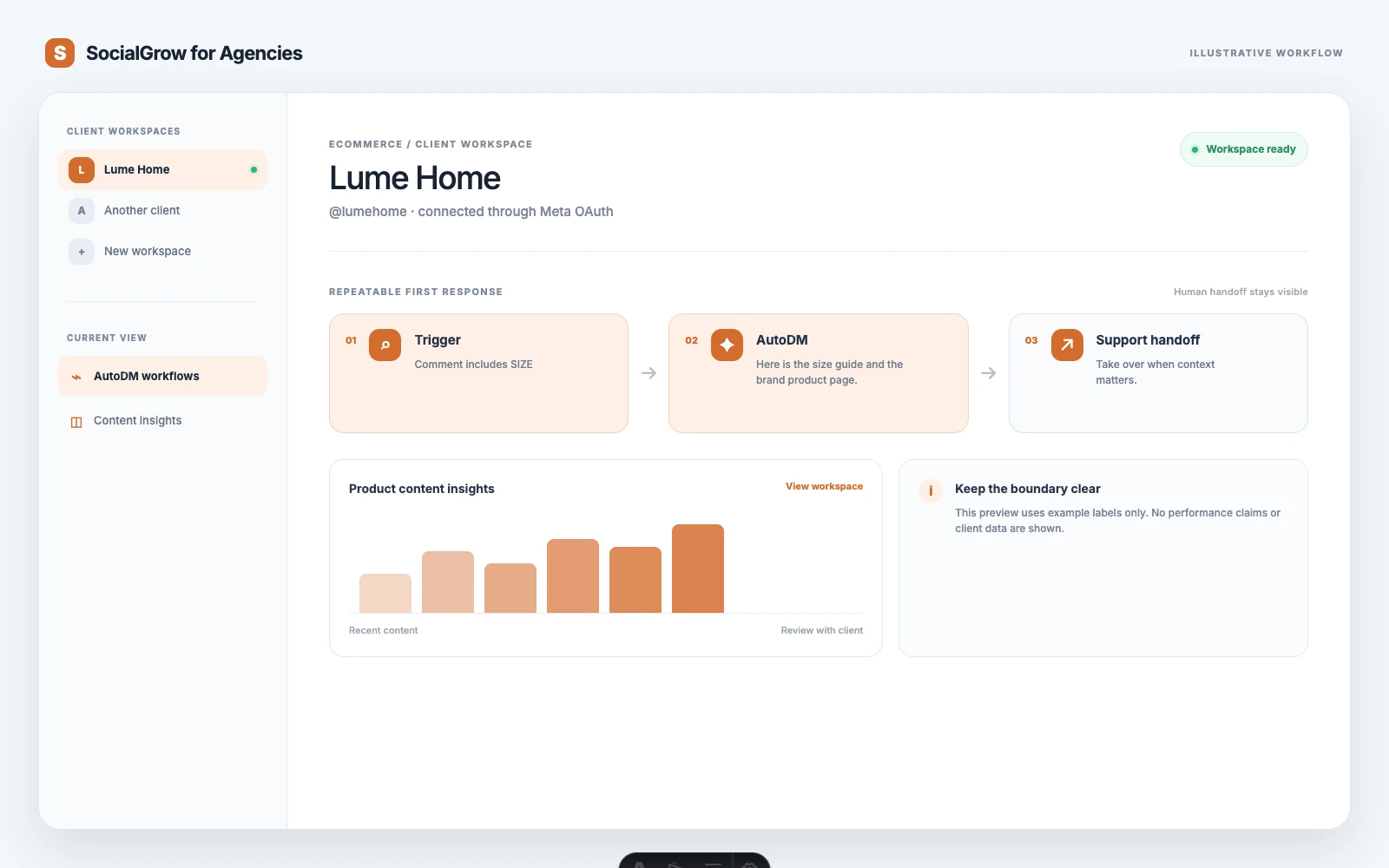
The agency problem is not only content volume
An agency can publish a strong product Reel and still lose the opportunity in the comments. People ask:
- Where can I buy this?
- Does it come in another size or color?
- Is this right for my use case?
- What is the current price?
- Does it ship to my country?
Those questions should not all receive the same generic “check our website” response. A good workflow identifies the question, sends the most useful approved next step, and hands off when the store or support team needs to verify live information.
Build one product-question workflow
1. Choose one offer and one trigger
Use a clear campaign instruction:
Comment
LINKand we’ll send the product page.
Or:
Comment
SIZEfor the size guide.
The trigger should match the promised response. Do not activate one workflow for every product post unless the destination and message are genuinely the same.
2. Send the approved destination
The first DM should deliver the link or resource immediately:
Here is the product page for
{{product_name}}:{{approved_product_url}}. If you are comparing sizes, replySIZEand we’ll send the guide.
Keep the message accurate and easy to scan. If the URL includes campaign tracking, the agency should document it and confirm that it does not redirect to an outdated product page.
3. Route live commerce questions correctly
The product workflow should not guess. For questions about current stock, delivery dates, refunds, order changes, or a specific customer’s purchase, direct the person to the store or support path that can verify the answer.
4. Review the conversation
Look at replies each week. If many people ask the same question, improve the product page, caption, FAQ, or next workflow rather than adding a longer automated message.
What to automate and what to leave to the store
| Automate when approved and stable | Verify in the store or support system |
|---|---|
| Product page link | Live stock and variant availability |
| Size or care guide | Delivery estimate by country or postcode |
| Launch or collection link | Refund or exchange request |
| General product education | Existing order status |
| Campaign-specific FAQ | Payment, fraud, or account issue |
| One follow-up question | Complaints and complex recommendations |
Automation should make the first response faster, not create a second customer-service system with stale information.
Manage ecommerce clients without mixing brand context
For every brand, record:
- Instagram account and store domain
- Approved product and guide URLs
- Campaign name and trigger
- Brand voice and prohibited claims
- Support handoff destination
- Tracking convention
- Person responsible for link and copy review
Use a naming pattern such as Brand — Summer Collection — LINK. Test from a separate account before activating it. Confirm that the destination belongs to the correct store and that the copy matches the campaign.
This is especially important when the agency works with similar brands. A copied message can contain the wrong price, product link, discount, or shipping promise even when the workflow itself technically works.
Content that makes product conversations easier
Create content that answers a decision question, not only content that shows the product:
- How to choose between two variants
- What the product is designed for
- Size, fit, material, or care guidance
- How the product works in a real setting
- Common objections before purchase
- What is included in the package
Then match each post to one CTA. A Reel that asks people to comment SIZE should lead to the size guide; a launch post can lead to the collection; a comparison post can lead to the product page or a human product specialist.
Measuring the workflow
An agency report should show the path from content to commerce:
- Trigger matches by product or campaign
- Messages delivered
- Replies and follow-up questions
- Product-link clicks or assisted sessions
- Add-to-cart or purchase events when store analytics can verify them
- Questions that reveal a product-page or support gap
Avoid claiming that every sale came from an Instagram DM. Use campaign parameters, store analytics, and the client’s attribution model when available. If the data cannot prove a sale, report the interaction as an assisted signal instead.
Where SocialGrow fits
SocialGrow can support the Instagram layer with client workspaces, authorized Meta account connections, AutoDM workflow creation and editing, and Instagram content insights. The store platform remains responsible for catalog truth, inventory, orders, shipping, refunds, and customer records. The agency should keep those boundaries explicit in the client proposal and report.
For a broader agency operating model, read social media management for agencies. For the current product-focused page, see ecommerce Instagram management for agencies.
Start with one product question and one approved destination. Once the workflow has survived real replies and link checks, adapt the pattern to another product or client.
Book an agency walkthrough to map a product-question workflow to your client stack.
Sources
Frequently asked questions
What does an ecommerce social media agency manage on Instagram? +
An agency may manage product content, community responses, product-question workflows, campaign links, and performance reviews. The store platform remains the source of truth for inventory, shipping, refunds, customer records, and order status.
What should ecommerce agencies automate in Instagram DMs? +
Automate a useful first response to a clear product question, such as sending an approved product page, size guide, or launch link. Do not automate promises about stock, delivery, refunds, or order exceptions unless the store system can verify them.
How can agencies use comment-to-DM for ecommerce brands? +
The brand can invite a specific comment such as LINK or SIZE on a product post. The workflow sends the approved product or guide link, then invites one focused question or a human handoff. Each campaign should use its own trigger and destination.
How should agencies report ecommerce Instagram marketing? +
Report trigger matches, messages delivered, replies, product-link clicks, assisted sessions, and conversions when the store analytics can verify them. Do not label an Instagram interaction as a sale without a supported attribution method.
Related Articles
Med Spa Marketing for Agencies | Instagram Lead Guide
A compliance-conscious guide for agencies managing med spa Instagram marketing, consultation enquiries, booking workflows, and human handoffs.
use-casesSocial Media for Real Estate Clients: An Agency Guide
A practical operating guide for agencies managing real estate Instagram accounts, listing enquiries, human handoffs, and lead reporting.
automationSocial Media Management for Agencies | Workflows & Reporting
A practical guide to agency social media management: client workspaces, Instagram workflows, reporting, and honest automation limits.
Ready to see SocialGrow for Agencies in action?
Book a 30-minute walkthrough. We'll show you how it replaces your spreadsheet chaos.
Book a DemoNo credit card required · 30-minute walkthrough