5 Best Instagram DM Automation Tools for Ecommerce (2026)
Rank five Instagram DM automation tools for ecommerce campaigns by trigger fit, product-link delivery, lead capture, and follow-up.
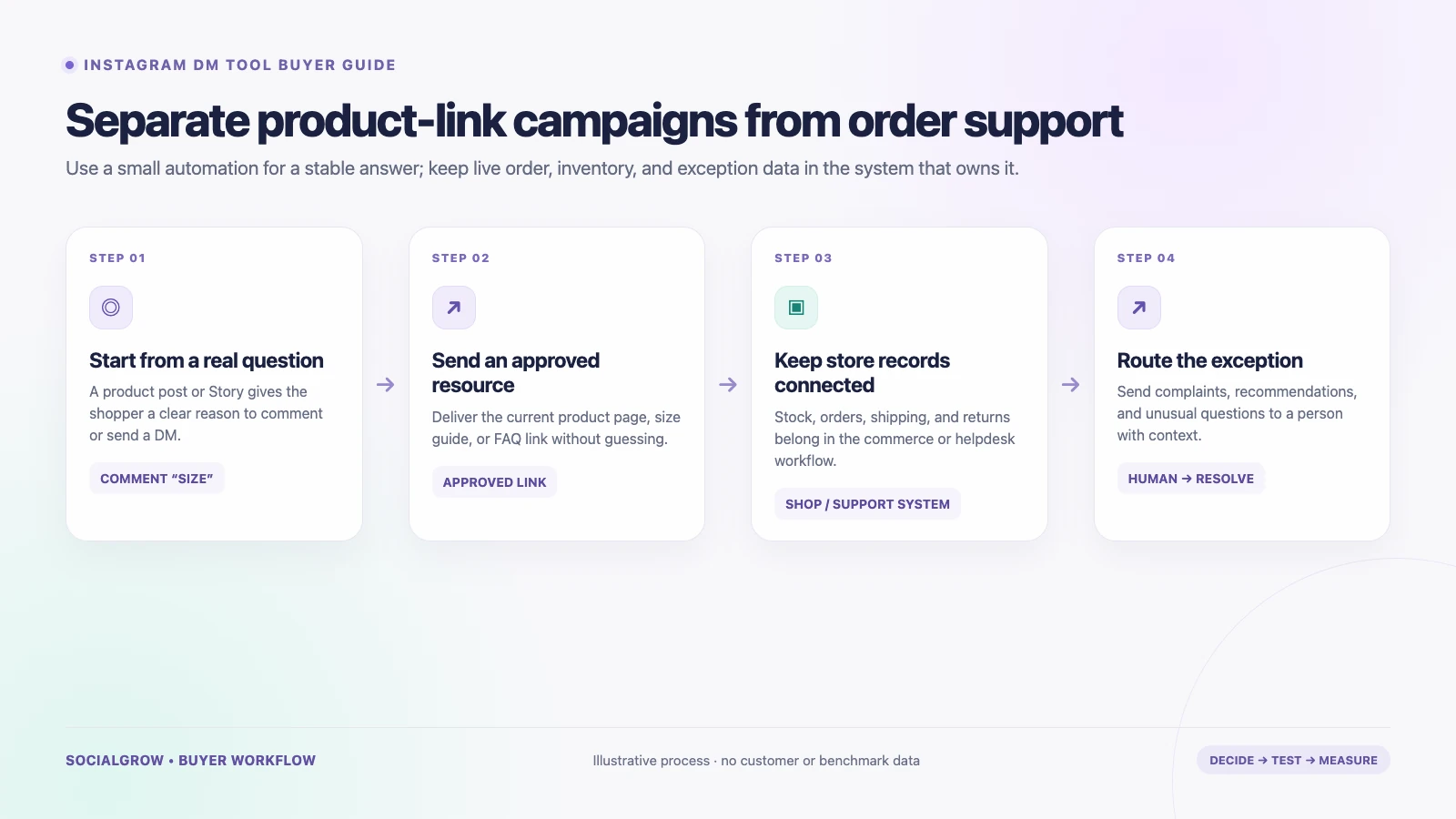
The best Instagram DM setup for an ecommerce brand depends on the job: send a product link after a comment, answer a shopper’s question, or resolve an order issue with store context. These are different workflows. A comment-to-DM tool can deliver a guide or product page; a customer-support platform can bring DMs and order history together. Do not assume one tool does both.
We rank campaign tools for an ecommerce path from an eligible Instagram interaction to an approved product or guide link, optional lead capture, and follow-up. Trigger control, link delivery, contact context, and workflow breadth determine the order. SocialGrow is our product and is included because its published capabilities fit campaign automation. Order support has its own Shopify helpdesk ranking below. Product, feature, and plan details below were checked September 24, 2026; verify current terms before buying.
For the broader Instagram content and messaging system, see our Instagram marketing guide for ecommerce. For a step-by-step lead workflow, read the comment-to-DM lead-generation guide.
Quick comparison
| Ranked pick | Best fit | Where it stops or what to verify |
|---|---|---|
| #1 SocialGrow | Sending an approved product, size-guide, or campaign link after a clear Instagram trigger | Its public product description focuses on Instagram automation, lead capture, and link tracking. Confirm any store, catalog, order, or support integration you require. Product · Pricing |
| #2 ManyChat | Comment-to-DM campaigns, lead capture, and flows across supported messaging channels | Pricing is based on monthly active contacts on current plans; estimate overages and confirm the channels/features included. Pricing |
| #3 CreatorFlow | A small brand or creator using comment/Story replies to deliver links and collect optional emails | Published plans cap DMs by account/workspace; it is not described as an order-management system. Pricing |
| #4 LinkDM | A lightweight comment-to-DM option for sending a product or collection link from an eligible post or Reel. | Check current account and DM limits, lead-generation fields, export options, and whether the campaign link stays current. Pricing |
| #5 Chatfuel | Moving an Instagram commenter to WhatsApp for the next conversation | The linked page describes a specific comment-to-WhatsApp workflow; verify the current scope and handoff. Workflow |
5 best Instagram DM campaign tools for ecommerce, ranked
This list is for campaigns that send a product, collection, or guide link. For order status, returns, and support conversations with Shopify context, use our separately ranked Instagram helpdesk tools for Shopify.
1. SocialGrow: trigger-based product and resource links
SocialGrow’s public product pages describe comment-to-DM and Story workflows, link delivery, contact capture, follow-ups, and link tracking. That can fit a simple path from a product Reel or launch post to a specific product page, size guide, or approved campaign destination.
Choose it when: the repeated task is delivering the right link after an Instagram interaction and tracking whether it was clicked.
Check: the public description does not establish catalog sync, live inventory, order-status lookup, returns handling, or a full ecommerce support queue. Keep those jobs in your commerce or support platform unless a verified integration covers them.
2. ManyChat: comment campaigns and multi-channel flows
ManyChat’s public pricing and help pages describe Instagram automations alongside other channels, lead capture, and active-contact billing. The current pricing model charges by monthly active contacts, with plan allowances and overages. This can work for a campaign that sends an offer or product-education link after a defined comment or DM.
Choose it when: you want to coordinate Instagram campaigns with other supported messaging channels.
Check: estimate active contacts from campaign interactions rather than follower count, review plan gates and overage costs, and confirm whether the flow only delivers a link or can connect to the store process you need.
3. CreatorFlow: a lightweight link-delivery workflow
CreatorFlow lists comment-to-DM and Story replies on Free, with one Instagram account and 500 automated DMs per month. Its Pro plan lists two accounts, 5,000 DMs per workspace per month, email collection, click tracking, and CSV export. The provider currently lists Pro at US$15 per month or US$12 per month billed annually.
Choose it when: you are running a small campaign that sends a product, collection, or launch link and want basic click or contact data.
Check: DMs are limited by plan; confirm how multiple accounts and workspaces are counted and where captured contact data goes. A CSV is not the same as a live support or order system.
4. LinkDM: focused campaign link delivery
LinkDM is a lighter option when the repeated task is sending a product or collection link after an eligible Instagram interaction. Its pricing page lists post and Reel automations and plan-specific account and DM limits; check the current Pro feature set before relying on lead-generation or export features.
Choose it when: you have a small number of repeatable product-link campaigns and do not need order lookup or support-ticket ownership.
Check: confirm the exact trigger, how captured leads are stored or exported, and who handles questions after the link is sent. LinkDM pricing
5. Chatfuel: send a comment response to WhatsApp
Chatfuel’s current Instagram comments page advertises an automatic reply that shares a WhatsApp link after a person comments. This may fit a store that deliberately uses WhatsApp for sales conversations or local customer service.
Choose it when: WhatsApp is the intended handoff and the customer understands why they are moving channels.
Check: the cited page describes this focused flow, not product-catalog or order-service automation. Confirm what is free, the account requirements, and how your team will see the original Instagram post and comment.
Match the automation to the question
| Shopper’s action | Useful first step | Keep with the store/support system |
|---|---|---|
Comments SIZE on a product post | Send the current size guide | Fit advice that needs personal context or stock confirmation |
Comments LINK on a launch Reel | Send the approved product page | Current inventory, discount eligibility, and checkout issues |
| DMs “Where is my order?” | Route to the ecommerce support flow with the order lookup process | Order, shipping, refund, or address changes |
| Replies to a Story with a product question | Send a stable FAQ or route to an agent | Product-safety, complaint, or unusual questions |
Use a real campaign report to separate eligible interactions, successful message delivery, link clicks, contacts provided with consent, support tickets, and completed orders. A sent DM or clicked link should not be reported as a sale unless your commerce analytics ties it to a confirmed order.
A short selection checklist
- Write down the one repetitive Instagram question or campaign you want to improve.
- Decide whether the job is link delivery, customer support, or both.
- Confirm the trigger and eligible account types through a real test account.
- Verify message windows, team access, human handoff, and what data is retained.
- Map orders, inventory, refunds, and customer records to the system that owns them.
- Estimate full cost at your expected interactions, active contacts, account count, and seat count.
Review Meta’s Instagram Messaging API documentation when checking authorization and platform capabilities. For SocialGrow’s workflow fit, see Instagram lead capture and current plan details.
Sources and ranking method: Vendor product, help, and pricing pages linked above were checked September 24, 2026. We rank by published fit for the workflow and criteria described above. SocialGrow is our product. The order is an editorial fit judgment for campaign automation, not a sales-lift or order-support performance claim.
Related Articles
4 Best Instagram AI Chatbots for Sales (2026), Ranked
Our ranked Instagram AI chatbot picks for sales and lead qualification, compared by channel support, knowledge, actions, handoff, and setup.
automation5 Best Instagram DM Tools for Fitness Coaches and Gyms (2026)
Ranked Instagram DM tools for fitness coaches and gyms, compared by trial links, lead capture, team handoff, and plan limits.
automation5 Best Instagram DM Tools for Lead Generation (2026)
Our ranked Instagram DM tools for lead generation, compared by contact capture, qualification, routing, reporting, and plan limits.
Ready to automate your Instagram engagement?
Turn every comment into a conversation with SocialGrow.
Start Free Trial7-day free trial · No credit card required