5 Best Instagram DM Tools for Local Service Businesses (2026)
Ranked Instagram DM tools for local services, compared by quote requests, service-area checks, booking links, routing, and team follow-up.
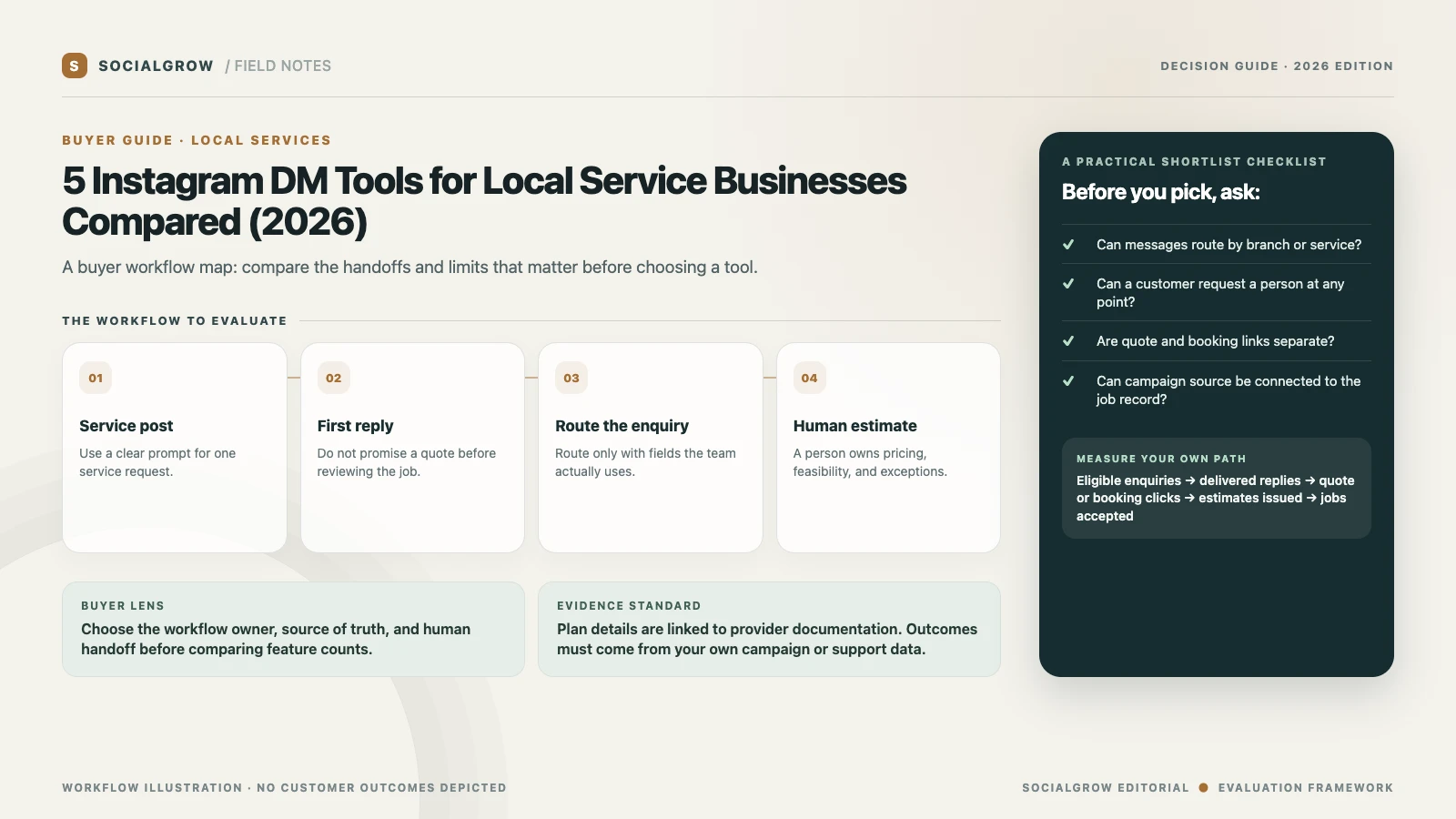
“Local service business” covers many different jobs: home services, repair, lessons, pet care, event work, and appointments. Their common need is routing, not a universal bot. A useful Instagram DM tool can answer a repeated first question, send the right service-area or booking page, and pass the enquiry to the team that can make a real estimate.
Before comparing software, write down your intake fields. If location and service type determine eligibility, ask for those first. If every quote depends on photos, access, materials, or an on-site visit, do not let a canned reply imply that a final estimate has already been made. The CRM, dispatch system, or booking calendar should own the final job status.
5 best Instagram DM tools for local service businesses, ranked
We rank tools for a local-service enquiry that needs the right service or area page, a clear booking or quote next step, and a person who can confirm scope and availability. Instagram trigger fit, lead context, location routing, and handoff shape the order. SocialGrow is our product.
| Ranked pick | Where it may fit | Verify before committing |
|---|---|---|
| #1 SocialGrow | Route “Do you serve my area?” enquiries to the right service page or quote form and keep the originating post with the lead. | Test your service-area branches and the handoff for requests that need photos, an inspection, or a custom estimate. Product overview · Pricing |
| #2 ManyChat | Separate common service, location, and booking questions in a visual flow, with other messaging channels available where needed. | Test unusual addresses and out-of-area requests with a person; estimate active-contact costs and channel requirements. Pricing |
| #3 CreatorFlow | Send a preparation checklist, quote-request page, or seasonal offer after an eligible post or Story interaction. | Decide whether email capture is necessary; if used, explain the opt-in and verify that enquiries can be exported for staff follow-up. Pricing · trigger guide |
| #4 LinkDM | Deliver a booking or service-area link from an eligible Instagram post or Reel without building a broad inbox workflow. | Keep the linked service, location, and availability information current; check monthly DM and account limits. Pricing |
| #5 Chatfuel | Continue an Instagram enquiry on WhatsApp if the local team already quotes or dispatches there. | Confirm the team receives enough context to respond and that the handoff works for every service area. Instagram workflow |
Estimate volume by service line and location
Forecast by service line and location, not follower count: estimate how many quote, booking, and hours questions generate a DM and how many staff members need to see it. Compare active contacts, monthly DMs, accounts, and seats as separate units. Check current terms on ManyChat, CreatorFlow, and LinkDM.
Test the workflow before buying
Test one quote path and one booking path from a separate account. Confirm that the right service-area page is sent, a person can take over a job that needs a real estimate, and a customer asking for an appointment does not end up in the quote workflow.
A three-question intake that stays useful
- What service is this about? Let the person choose from a short, current menu rather than asking them to explain the whole job in one message.
- Where is the service needed? Use the service area or branch list. Avoid collecting a full street address in an automated marketing exchange unless your approved workflow requires it.
- What should happen next? Offer the relevant booking page, quote form, or a human follow-up. Keep those routes distinct so a person asking about availability does not accidentally submit an estimate request.
Keep opening hours, emergency instructions, and pricing disclaimers accurate. For urgent or unsafe situations, give the business’s approved contact path instead of trying to triage through a marketing automation.
Match features to business size
- Owner-operator: prioritize one reliable first response, a booking or estimate link, and a fast way to see unanswered conversations.
- Several branches or crews: test location selection, assignment, shared access, and duplicate handling.
- Agency managing local accounts: check account separation, permissions, and whether reporting is available by client. Confirm who owns the actual lead and follow-up when the agency is not the service provider.
Track enquiries to completed work
For one service campaign, record eligible comments and DMs, delivered replies, quote-page clicks, estimates issued, jobs accepted, and jobs completed. Calculate estimate rate = estimates issued ÷ quote requests and acceptance rate = jobs accepted ÷ estimates issued. Use the service business’s own job system and define whether canceled or rescheduled work is included. A conversation is not a paid job.
Use the relevant workflow guide—salon auto-replies, real estate Instagram DMs, or wedding photography enquiries—for niche examples. For generic lead capture, read the five-tool lead-generation comparison. Check SocialGrow’s automation workflow and pricing only if the requirement is an Instagram trigger and response rather than dispatch or job management.
Sources and ranking method: Vendor product, help, and pricing pages linked above were checked September 24, 2026. We rank by published fit for the workflow and criteria described above. SocialGrow is our product. The order reflects documented service routing, booking or quote links, context, and human follow-up, not job or revenue improvements.
Frequently asked questions
Can Instagram automation qualify local service leads? +
It can ask a small number of routing questions, such as service type or service area, if those answers determine the next step. Keep estimates and safety decisions with a qualified person.
Should an Instagram tool replace a booking or dispatch system? +
No. Use the connected booking, CRM, or dispatch platform as the source of truth for availability, assignments, quotes, and job status.
What should a local business measure? +
Track delivered replies, quote or booking requests, estimates issued, accepted jobs, and completed jobs separately.
Related Articles
5 Best Instagram DM Tools for Lead Generation (2026)
Our ranked Instagram DM tools for lead generation, compared by contact capture, qualification, routing, reporting, and plan limits.
automation5 Best Instagram DM Tools for Real Estate Agents (2026)
Ranked Instagram DM tools for real estate agents, compared by listing links, viewing enquiries, lead context, handoff, and plan limits.
automationInstagram DM Automation for Real Estate Agents
A practical Instagram DM automation system for real estate agents. Reply to listing enquiries, qualify buyers, and book showings without losing the human touch.
Ready to automate your Instagram engagement?
Turn every comment into a conversation with SocialGrow.
Start Free Trial7-day free trial · No credit card required