5 Best Instagram Story Reply Tools, Ranked (2026)
Our ranked Instagram Story reply tools, compared by reply and reaction triggers, expiry, reuse, lead capture, limits, and team handoff.
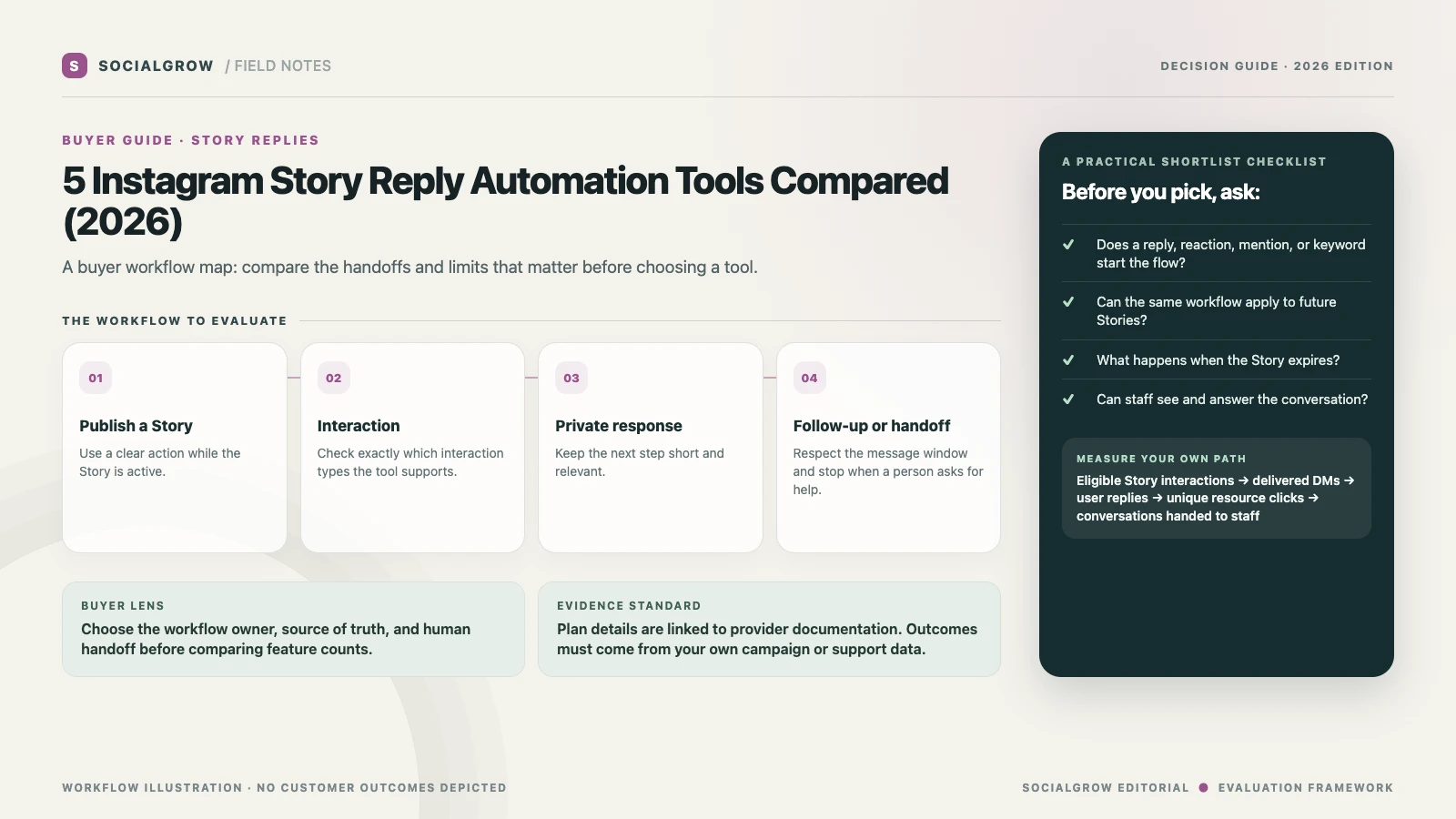
Story automation is a time-bound workflow, so a useful comparison needs more than a “supports Stories” checkmark. Confirm whether a product reacts to a text reply, emoji reaction, mention, or another event; whether each rule is tied to one Story or can be reused; and what the vendor counts against its plan. Instagram Stories are temporary, and different providers describe their trigger and expiry behavior differently.
We rank these tools for a Story-triggered path from a reply or reaction to the promised resource and an appropriate next step. Trigger types, expiry and reuse behavior, contact capture, handoff, and plan fit drive the order. SocialGrow is our product. For campaign setup and message design, see our Story reply setup guide and Story reply strategy.
| Ranked pick | Documented fit | Verify before buying |
|---|---|---|
| #1 SocialGrow | Instagram-first Story replies that can continue into lead capture and follow-up. | Confirm supported Story interaction types, trigger timing, reporting, and what happens after the first response. Product · Pricing |
| #2 ManyChat | Story reply trigger inside a broader visual automation builder. | Its help article describes replies and reactions, a live-Story window, and per-Story setup details. Check the limits and channel plan you need. Story trigger guide · Pricing |
| #3 CreatorFlow | Story reactions and text replies leading to a link or optional pre-DM step. | Its help center says the trigger works while the Story is active and explains how to reuse automation for future Stories. Confirm current message allowances. How it works · Pricing |
| #4 LinkDM | A creator-friendly Story AutoDM and Story mention workflow. | Check which interaction types are included in the plan, current account and DM limits, and whether the team can continue the conversation. Product · Pricing |
| #5 Respond.io | Team inbox and routing for Instagram Story interactions that open conversations. | Its Instagram integration describes controlling which Story interactions create conversations and using AI Agents; verify the plan and exact trigger scope. Instagram integration |
Compare plan units before comparing allowances
Story triggers create a different usage pattern from comment campaigns: a successful flow can be copied to each new Story, but the active Story window still matters. On the pricing pages checked September 24, 2026, CreatorFlow lists 500 automated DMs per month on its Free plan and LinkDM lists 1,000; ManyChat Free includes 25 active contacts per month. These are different billing units. Estimate how often you publish eligible Stories, then confirm trigger-window, reuse, account, and overage details with CreatorFlow, LinkDM, and ManyChat.
A Story reply test that catches the common gaps
Create a test Story with one clear prompt. From another account, test a text reply, an emoji reaction, and an interaction that should not trigger. Confirm whether the same automation can be set for a future Story, whether the message arrives before the Story expires, and how staff locate the conversation afterward. Record the test date and the exact Instagram account type because permissions and platform behavior can change.
Use the first response to deliver the promised link. If the person asks a detailed question, offer a person or the right support channel. Do not treat an emoji reaction as consent to receive unrelated promotions. Keep follow-up inside the current platform rules and explain any email collection before asking for an address.
Measure one Story campaign
Track Story views in Instagram Insights separately from replies, reactions, DMs delivered, users who continue the conversation, and unique link clicks. Calculate interaction-to-DM rate = DMs delivered ÷ eligible Story interactions and click rate = unique resource clicks ÷ DMs delivered. Use your own date range and avoid turning Story views into a claimed lead count. If your tool does not distinguish replies from reactions, note that limitation before comparing campaigns.
For setup, read the quick Story reply guide and the complete Story reply strategy. If the next action is lead qualification across several trigger types, see Instagram DM tools for lead generation and SocialGrow’s auto-reply workflow.
Sources and ranking method: Vendor product, help, and pricing pages linked above were checked September 24, 2026. We rank by published fit for the workflow and criteria described above. SocialGrow is our product. The ranking reflects documented Story-trigger and follow-up fit, not response-rate or sales results.
Frequently asked questions
What can trigger an Instagram Story reply automation? +
It depends on the tool. Vendor documentation may include text replies, emoji reactions, mentions, or selected Story interactions. Verify each trigger rather than relying on a general Stories claim.
Do Story automations keep working after a Story expires? +
New triggers may stop when the Story is no longer active. Check the vendor’s documentation and test what happens to an automation attached to a specific Story versus future Stories.
How should I measure a Story automation? +
Count eligible interactions, DMs delivered, user replies, and unique link clicks separately; views alone do not show that a person became a lead.
Related Articles
Instagram Story Reply Automation: Strategy and Measurement
Plan Instagram Story reply automation around a clear prompt, useful resource, supported trigger, human handoff, and measurable next step.
automationInstagram Story Reply Automation Setup Checklist (2026)
Set up an Instagram Story reply workflow: choose a supported trigger, send the requested next step, test it, and keep a person available.
automation4 Best Instagram AI Chatbots for Sales (2026), Ranked
Our ranked Instagram AI chatbot picks for sales and lead qualification, compared by channel support, knowledge, actions, handoff, and setup.
Ready to automate your Instagram engagement?
Turn every comment into a conversation with SocialGrow.
Start Free Trial7-day free trial · No credit card required