ChatGPT and Claude for Instagram: 32 Prompts That Use Your Real Data
Use ChatGPT or Claude for Instagram captions, Reel hooks, replies and analytics. 32 copy-paste prompts, plus how to give the AI your real account data.
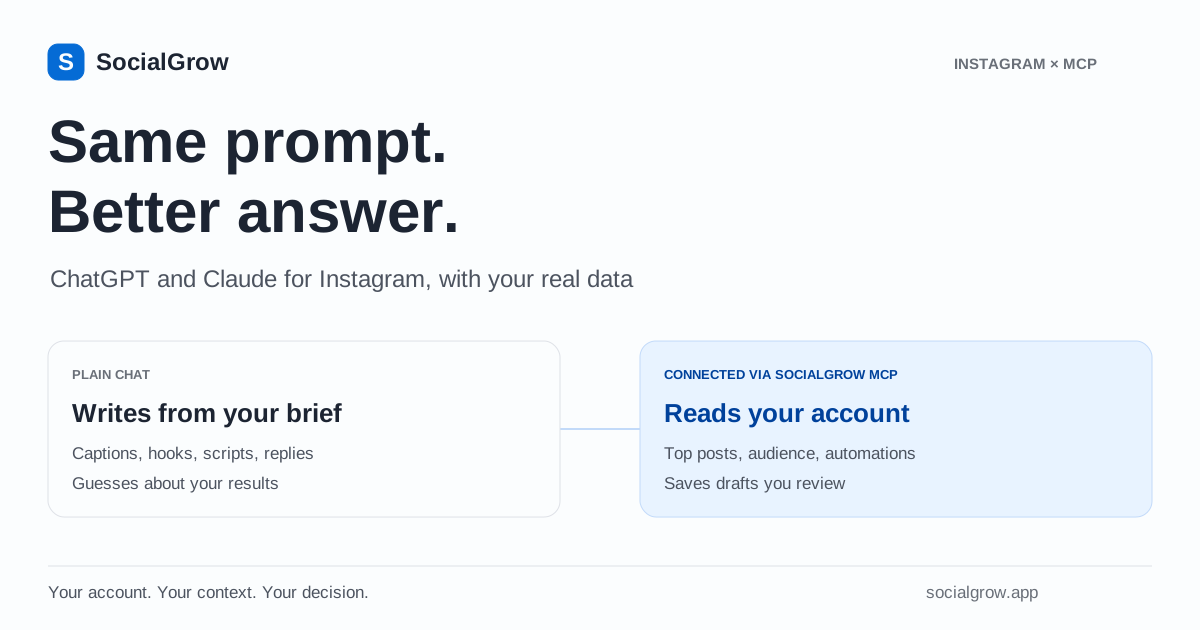
You can use ChatGPT or Claude for Instagram captions, Reel hooks, content calendars, comment replies and DM scripts. Give the assistant your audience, offer and tone, and ask for options you can edit. On their own, neither assistant can see your Instagram account, so any advice about your best posts or posting times is a guess. Connect your account through an MCP connector such as SocialGrow and the same prompts work from your real reach, saves, shares, follower activity and automation results.
This guide has 32 prompts grouped by job. Each one notes whether it works in a plain chat or needs a connected account.
What ChatGPT and Claude can do for Instagram
| Task | Plain chat (no account access) | With SocialGrow MCP connected |
|---|---|---|
| Captions, hooks, scripts | Yes, from your brief | Yes, plus examples from your top posts |
| Content ideas | Generic ideas for your niche | Ideas tied to your Reels with the most saves, shares or follows |
| Best time to post | General advice | Your followers’ online hours |
| Post performance | Only numbers you paste | Top posts compared with your typical post of the same format |
| Audience | What you tell it | Available age, gender, city and country data |
| Comment replies and DM scripts | Templates | Templates plus your existing automation messages |
| Comment-to-DM campaign | Writes the copy | Saves an inactive draft you review and activate |
| Publish posts or send DMs | No | No. You stay in control of both |
A plain chat is enough for writing. You need a connection when the question starts with “my”: my best Reels, my audience, my automations.
Set up your brief once
Every prompt below works better if the assistant knows who you are. Paste this at the start of a chat, or save it in your assistant’s custom instructions or a project:
I run an Instagram account about [topic] for [audience]. I sell [offer] at [price]. My tone is [3 adjectives]. My audience’s top questions are [list]. Avoid [words, claims or styles you never use]. When you suggest content, give me 3 options and say which you would test first and why.
Specific inputs beat clever prompts. “Fitness coach for new mums, sells a 12-week plan, warm and direct” produces far better captions than “fitness account”.
Captions and hashtags
These work in any chat.
- Caption variants. “Write 3 captions for this Reel: [describe it]. One short (under 125 characters), one story-led, one list-style. End each with a question my audience would actually answer.”
- Hook-first rewrite. “Rewrite this caption so the first line works as a hook before ‘more’. Keep my voice: [paste caption].”
- Comment-keyword CTA. “Add a call to action asking people to comment GUIDE to get [resource]. Make it sound helpful, not salesy.”
- Hashtags as keywords. “Suggest 3–5 specific hashtags and 5 search keywords for this post. Explain what someone would be searching for when they find each one.”
- Repurpose to a carousel. “Turn this caption into a 7-slide carousel outline: slide 1 hook, slides 2–6 one point each, slide 7 a save-worthy summary.”
- Alt text. “Write accessible alt text for this image: [describe it].”
Want a quick draft without a chat? The free caption generator and hashtag generator cover the basics.
Reel hooks and scripts
- Ten hooks. “Give me 10 opening lines for a Reel about [topic]. Mix question, bold claim, mistake and ‘how I’ formats. Under 10 words each.”
- 30-second script. “Write a 30-second Reel script: hook (0–3s), 3 beats, payoff, and a CTA. Add on-screen text for each beat.”
- Series plan. “Plan a 5-part Reel series answering my audience’s top questions. Each episode should make sense alone and point to the next.”
- Trend adaptation. “Here is a trending format: [describe]. Adapt it to my niche without copying anyone’s content. Give 3 versions.”
- Script from your best Reel (connected). “Find my Reel with the most saves in the last 60 days. Using its caption as context, write 3 follow-up scripts that answer the next question a viewer would have.”
The assistant reads captions, not video. If your Reel’s caption doesn’t explain what was said, paste a transcript first. For a full method, see content ideas from your past Reels, and for hooks and retention, how to go viral on Instagram Reels.
Content ideas and calendars
- Pillar map. “Suggest 4 content pillars for my account and 5 post ideas under each. Mark which ideas fit Reels, carousels or Stories.”
- Two-week calendar. “Build a 14-day plan: 4 Reels, 3 carousels, daily Stories. Include one post that leads to my offer.”
- Objection content. “List the 10 objections people have before buying [offer]. Turn each into a post idea.”
- What to make more of (connected). “Rank my Reels from the last 60 days by saves, by shares and by follows. Which topics show up in more than one list? Suggest 3 to test next.”
- What to stop (connected). “Which of my Reels from the last 90 days performed furthest below my typical Reel? What do their topics have in common, or is it just one or two posts?”
Analytics questions
These need a connection. Without one, the assistant has no data and may invent plausible numbers, so check that every figure it gives you came from a tool call.
- Monthly check-in. “Summarise my last 30 days against the previous 30: followers, reach, views, engagement rate and profile views. What changed most?”
- Daily pattern. “Show my daily reach for the last 30 days. Which days stand out, and which posts went out on those days?”
- Top posts by goal. “List my top 10 posts by reach, then by saves. Which posts appear in both?”
- Format check. “List my top carousels and my top Reels from the last 90 days separately, each compared with the typical post of its own format. Which format has more posts well above typical?”
- Sync check. “When was my data last synced, and are any metrics unavailable for this period?”
SocialGrow syncs account insights about every six hours, so “today” may be a few hours behind. For more prompts and how to read the answers, see the Claude Instagram analytics guide. If you want to learn the metrics first, start with understanding Instagram insights.
Audience and posting times
- Who follows me (connected). “Describe my audience by age, gender, top cities and countries. Does it match the customer I described in my brief?”
- When to post (connected). “When are my followers online? Suggest 2 posting windows to test for 2 weeks each.”
- Content for a second market (connected). “If a large share of my audience is in [country], what local angles or timing should I test?”
A suggested time is a test, not a promise of more reach. Compare it against general best-time research and your own results.
Comment replies and DMs
- Reply bank. “Write 15 friendly replies to common comments on my posts: compliments, questions about price, ‘link?’, and mild criticism.”
- Price-question reply. “Write a reply for people who comment ‘price?’ that answers briefly and invites them to DM.”
- Welcome DM. “Write a welcome message for new conversations: thank them, offer 3 quick-reply options, keep it under 300 characters.”
- Auto-DM copy. “Write the DM someone gets after commenting GUIDE: deliver the link, set expectations, and ask one question to start a conversation.”
- Review my automations (connected). “List my automations. Which have captured the most leads and link clicks? Show me the DM text of the top two.”
Need more examples? See Instagram auto-reply message examples. Instagram also has its own built-in AI reply suggestions, compared in Instagram “Generate a reply” and AI replies.
Campaigns and leads
- Lead magnet ideas. “Suggest 5 free resources I could offer in exchange for a comment, based on my offer. Rate each by effort to create.”
- Draft a comment-to-DM automation (connected). “Draft a comment-to-DM automation for my latest Reel with the keyword GUIDE. Ask me to confirm the DM text and link before saving. Give me the review link.”
- Copy what works (connected). “Duplicate my best-performing automation as a draft for my next post, and suggest a new keyword.”
Drafts are saved inactive. You open the link, check the post, trigger and message, and switch it on yourself. The DM automation with Claude walkthrough shows each step.
How to connect ChatGPT or Claude to Instagram
ChatGPT and Claude connect to apps through MCP (Model Context Protocol). SocialGrow runs a hosted MCP server for Instagram: you sign in once, approve access and never copy a token.
- Claude: open the SocialGrow listing in Claude’s connector directory and choose Connect.
- ChatGPT: on the web, add
https://mcp.socialgrow.app/mcpas a custom MCP server with OAuth, then mention SocialGrow in a chat. - Claude Code, Codex, Cursor, VS Code: one command or install button.
You need an Instagram Business or Creator account connected to SocialGrow. Step-by-step instructions for each app are in the connection guide. The Instagram MCP page lists every tool and permission.
What the connection can and cannot do
Can: read account trends, top posts, audience data, lead counts and automation settings and results; save comment-to-DM drafts; copy an existing automation as a draft.
Cannot: publish posts, send DMs, activate or edit live automations, delete anything, read inbox conversations, see individual leads’ email addresses or phone numbers, or analyse other people’s accounts.
You can revoke access any time in SocialGrow under Settings → AI assistants.
Mistakes to avoid
- Trusting numbers you didn’t supply. In a plain chat, “your best time to post is 6pm” is a guess. Ask where every figure came from.
- Posting the first draft. AI captions drift toward the same phrases. Edit for your voice and cut anything you wouldn’t say out loud.
- Treating engagement as sales. Saves, shares and leads tell you what to test next. Only payment or booking records show revenue.
- Using AI for anything Instagram prohibits. Mass unsolicited DMs, scraping or fake engagement can get accounts restricted. See is Instagram automation safe?
Start with the brief, use a plain chat for writing, and connect your account when you want answers about your own results.
Frequently asked questions
Can ChatGPT or Claude see my Instagram analytics? +
Not on their own. They only see what you paste into the chat. With a connector such as SocialGrow’s Instagram MCP server, they can retrieve your connected account’s insights, top posts, audience data and automation results after you sign in and approve access.
Can ChatGPT post to Instagram for me? +
ChatGPT and Claude can write the caption, hook and hashtags, but SocialGrow’s connector does not publish posts. You publish in Instagram or a scheduling tool. The connector can save a comment-to-DM automation draft that you review and activate yourself.
Is ChatGPT or Claude better for Instagram? +
Both write captions, hooks and replies well when you give them context: your audience, offer, tone and past results. Pick the assistant you already use. Both can connect to SocialGrow’s Instagram MCP server; Claude lists SocialGrow in its connector directory and ChatGPT adds it as a custom MCP server on the web.
Can AI read or answer my Instagram DMs? +
SocialGrow’s assistant tools do not read your inbox conversations or individual lead contact details. For automatic replies, set up keyword-based comment-to-DM or DM auto-reply workflows in SocialGrow, which run through Meta’s official API.
Does connecting my Instagram to an AI assistant cost extra? +
SocialGrow’s MCP access is included in the 7-day free trial and every Pro plan. Your ChatGPT or Claude subscription is separate, and custom connector availability depends on your assistant’s plan and workspace settings.
Related Articles
Instagram Content Ideas from Your Past Reels with Claude
Use Claude and SocialGrow to find Instagram content ideas from your past Reels. Compare saves, shares and follows, then draft a matching comment-to-DM offer.
analyticsClaude Instagram Analytics: Analyze Your Account
Use Claude for Instagram analytics with SocialGrow MCP. Compare Reels, saves, shares and audience trends, then plan content and review DM campaign results.
automationCreate an Instagram DM Automation with Claude
Use Claude or another MCP assistant to draft a comment-to-DM campaign. Confirm the keyword, message and link, then review and activate it in SocialGrow.
Give your assistant your real Instagram numbers
SocialGrow connects your Instagram account to ChatGPT, Claude and other MCP apps. It is included in the free trial: add one link and sign in.
Explore Instagram MCP