Social Media for Real Estate Clients: An Agency Guide
A practical operating guide for agencies managing real estate Instagram accounts, listing enquiries, human handoffs, and lead reporting.
Real estate agencies should use Instagram automation to remove delay from a conversation that has already started—not to impersonate the agent. The strongest workflow sends the promised listing or event information immediately, asks one useful qualification question, and hands the conversation to the client team for advice, negotiation, and scheduling.
This is the agency version of the Instagram DM workflow for real estate agents. The difference is operational: an agency must protect client context across brokerages, teams, properties, and campaigns.
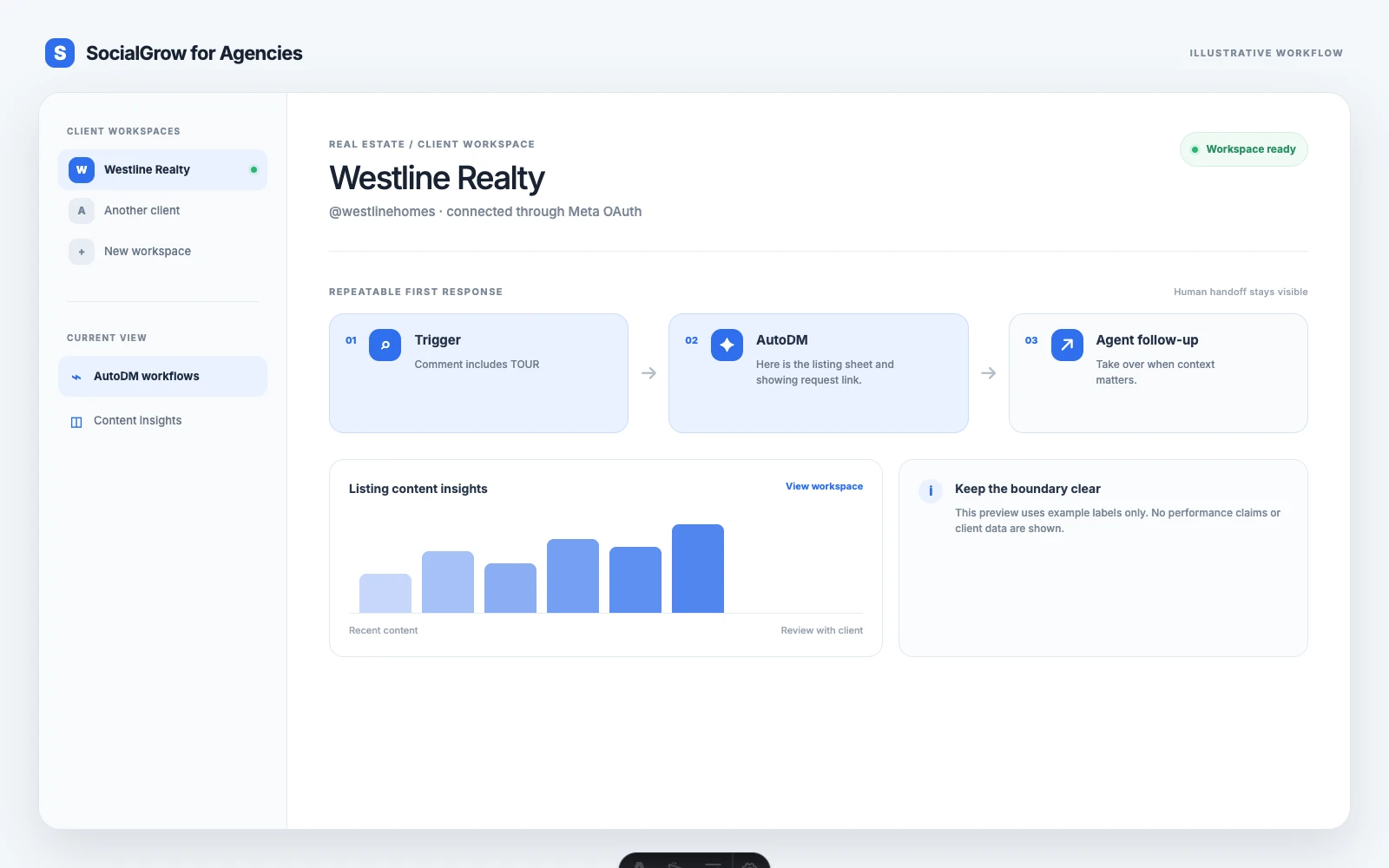
What an agency is responsible for
Real estate social media work usually mixes three layers:
- Visibility: listing Reels, neighbourhood content, market explainers, testimonials, and open-house promotion.
- Conversation: comments, Story replies, DMs, and questions about properties or services.
- Transaction systems: the MLS, CRM, showing calendar, disclosure process, and sales pipeline.
Instagram is useful for the first two layers. It should not become an ungoverned replacement for the third. A client review should make it obvious which information is held in Instagram, which workflow is automated, and where the agent takes over.
The listing-enquiry workflow
Start with one property and one promise. For example:
Comment
TOURand we’ll send the open-house time and showing details.
1. Match the trigger to the content
Use a clear trigger such as INFO, PRICE, TOUR, or VISIT. Do not use one broad rule for every property. The trigger should tell the agency what the person expected to receive and help the account manager report which offer created the conversation.
2. Send the approved information first
The first response can include the listing page, property facts, open-house details, or the client’s approved contact path. It should not begin with a long qualification form.
Example:
Here are the details for the property in
{{area}}:{{approved_listing_link}}. Would you like the next available showing times, or are you comparing homes in the area?
If the property is no longer available, update or disable the workflow. Sending an outdated listing link is worse than responding late.
3. Ask one useful question
Choose the next question based on the offer:
| Intent | Useful question |
|---|---|
| Buyer | Are you looking in this area now or researching for later? |
| Seller | Would you like the client’s valuation or selling guide? |
| Open house | Which day or time would you prefer? |
| Renter | What move-in date are you working toward? |
The purpose is not to score a person automatically. It is to give the agent context before the handoff.
4. Hand the conversation back to the agent
The human handoff should happen when someone asks for advice, requests a showing, raises a financing or legal question, discusses an offer, or describes an unusual situation. The agent should be able to see which post, property, and trigger started the exchange.
What to automate and what not to automate
| Safe starting point | Keep with a person |
|---|---|
| Listing link and approved property facts | Negotiation or offer advice |
| Open-house date and location | Financing, tax, or legal questions |
| Buyer or seller guide | Fair-housing or discrimination concerns |
| Showing request path | Complaints and sensitive information |
| One qualification question | Anything that requires professional judgment |
The boundary protects both the client and the agency. It also gives the agency a stronger service story: the system handles predictable repetition, while the agent spends more time on conversations where trust and expertise matter.
Managing several client accounts
Use a client record for each brokerage, team, or agent. At minimum, store:
- Client and account name
- Connected Instagram account
- Active property or campaign
- Approved links and copy
- Workflow owner
- Human handoff owner
- Date of the last test
Name workflows so an account manager can identify them without opening every message. Smith Team — Oak Street — TOUR is more useful than New Flow 4.
Before activation, test from a separate account and check the destination link, account identity, message formatting, and handoff expectation. If the client changes a property page or closes a listing, update the workflow immediately.
Reporting real estate Instagram work
A useful agency report connects content to conversations:
- Which post or property generated the trigger?
- How many messages were delivered?
- How many people replied?
- How many asked for a showing, valuation, or agent contact?
- Which questions were repeated or unanswered?
- Which outcomes were confirmed in the client’s CRM?
Do not call every comment a lead. A comment is a signal. A qualified conversation is stronger evidence. A booked showing or appointment is stronger still, but the client’s system should verify it.
How SocialGrow fits the Instagram layer
SocialGrow can support the agency layer with client workspaces, authorized account connections, AutoDM workflows, and Instagram content insights. Keep the MLS, CRM, showing calendar, contracts, and transaction records in the systems built for those jobs. Content planning, approvals, and broader campaign operations should not be promised as live features unless the client has separately confirmed them.
For the product-specific workflow, see real estate social media management for agencies. For content planning, read how to promote an open house on Instagram.
The best first test is one active listing with one clear offer. If the workflow sends the right information, makes the next action obvious, and gives the agent useful context, the agency has a repeatable pattern it can adapt across client accounts.
Book an agency walkthrough and bring one listing enquiry workflow to review.
Sources
Frequently asked questions
What does a real estate social media agency manage? +
An agency may plan content, publish listing and local-market posts, monitor responses, capture listing enquiries, and report on conversations or leads. Property records, showing calendars, contracts, and final sales activity should remain in the client’s MLS, CRM, or approved systems.
What should agencies automate for real estate clients? +
Automate predictable first responses to clear enquiries, such as sending listing details, open-house information, a buyer guide, or a showing link. Keep pricing advice, negotiations, financing questions, legal questions, and unusual situations with the agent.
How can an agency manage several real estate Instagram accounts? +
Use a separate client workspace and authorized account connection for each brokerage, team, or agent. Name workflows by client, property, and offer, then test every message with the correct account before activation.
How should real estate agencies measure Instagram lead generation? +
Track listing enquiry triggers, messages delivered, replies, showing requests, qualified buyer or seller conversations, and booked appointments. Use the client’s CRM or transaction process for final attribution rather than treating comments or message volume as closed business.
Related Articles
E-commerce Marketing for Agencies | Instagram Workflow
A practical guide for agencies managing ecommerce Instagram accounts, product questions, comment-to-DM workflows, and client reporting.
use-casesMed Spa Marketing for Agencies | Instagram Lead Guide
A compliance-conscious guide for agencies managing med spa Instagram marketing, consultation enquiries, booking workflows, and human handoffs.
automationSocial Media Management for Agencies | Workflows & Reporting
A practical guide to agency social media management: client workspaces, Instagram workflows, reporting, and honest automation limits.
Ready to see SocialGrow for Agencies in action?
Book a 30-minute walkthrough. We'll show you how it replaces your spreadsheet chaos.
Book a DemoNo credit card required · 30-minute walkthrough