Instagram DM Automation Pricing Guide
Learn how Instagram DM automation pricing works, compare flat-rate and usage-based plans, and calculate the real cost of tools for your business.
Instagram DM automation pricing usually depends on four things: the billing model, the number of contacts or messages, the channels you use, and which features are included. A low starting price can become expensive when you add seats, AI usage, exports, or a larger audience. Compare the complete workflow cost—not only the number on the pricing card.
SocialGrow currently lists US$14.99/month or US$149/year, and ₹499/month or ₹4,990/year in India, with a seven-day trial that does not require a card. The pricing page is the checkout-facing source if the plan changes. The figures in this guide were checked September 28, 2026.
How much does Instagram DM automation cost?
There is no single price that applies to every tool or business. Native tools may cover basic saved replies at no subscription cost. Dedicated products typically charge for broader triggers, lead capture, analytics, follow-up, team access, or additional channels.
Before comparing a plan, define:
- The Instagram account and team size.
- The triggers you need.
- Expected conversations and lead volume.
- Whether you need email, WhatsApp, SMS, or other channels.
- The fields and events you need to export or report.
- Whether AI usage is included or billed separately.
Which Instagram DM pricing models should you compare?
| Pricing model | How it works | Best fit | Risk to check |
|---|---|---|---|
| Flat subscription | One recurring plan for a defined feature set | Instagram-first businesses that want predictable budgeting | Automation, seats, contacts, or exports may still be limited |
| Per-contact | Price follows a provider-defined contact unit, such as monthly Active Contacts | Teams that need a broad contact-based marketing system | A viral campaign can add overages even when stored contacts do not change |
| Per-message or usage-based | Billing follows sends, conversations, or AI usage | Variable-volume workflows with clear usage controls | Costs can be difficult to forecast during growth |
| Per-seat | Billing follows the number of users | Teams with distinct roles and responsibilities | Adding reviewers or responders increases the bill |
| Native or free tier | Basic features without a paid subscription | Testing or low-complexity replies | Lead capture, follow-up, analytics, and support may be limited |
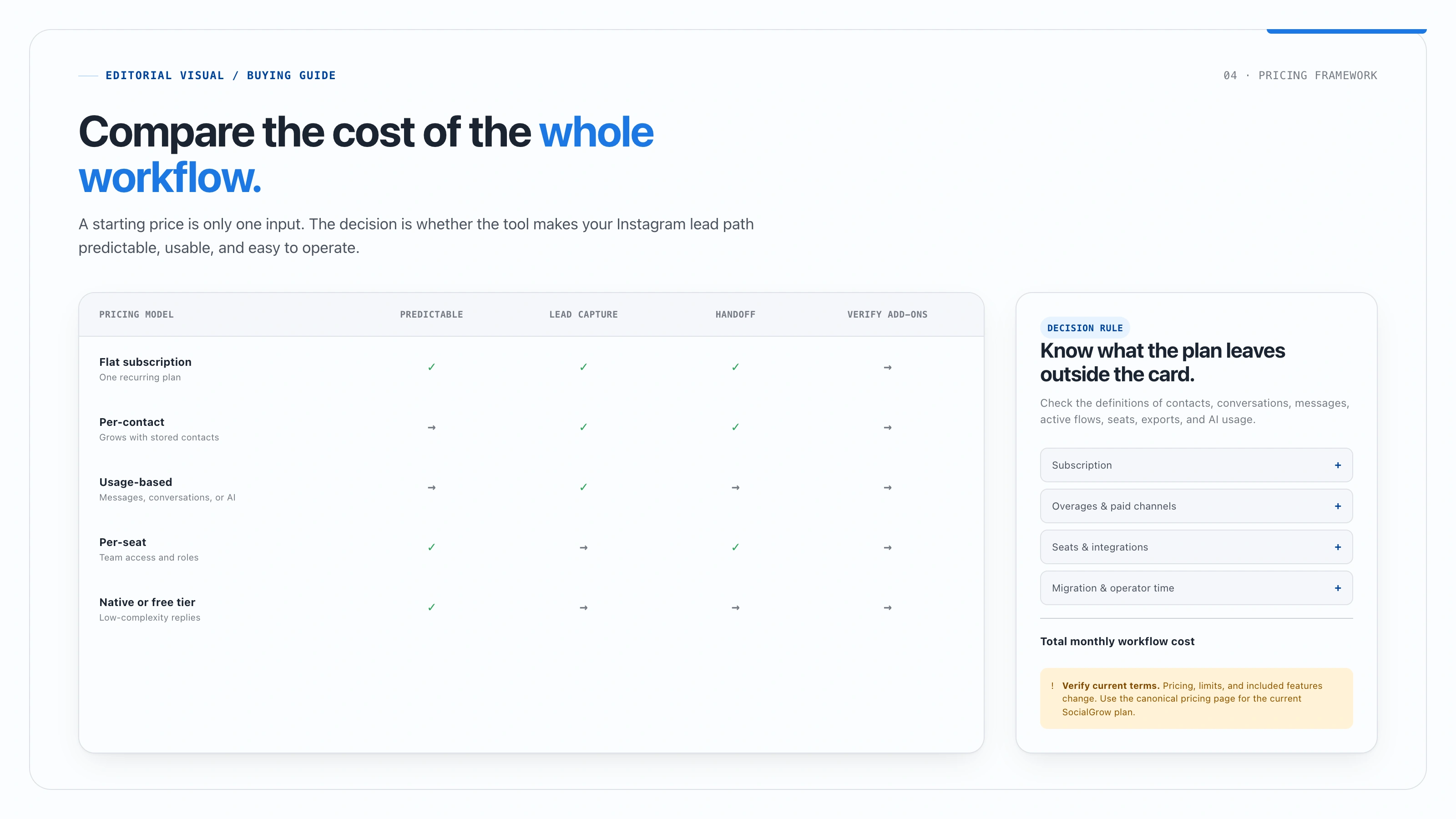
Do not assume that “unlimited” applies to every part of a plan. Check the definitions of contacts, conversations, active flows, messages, seats, and exports.
What should you include in the total cost?
Use this calculation:
Total monthly cost = subscription + contact or message overages + seats + paid channels + AI usage + integration costs + migration and operator time.
The operator time matters. A tool that costs less but forces the team to copy leads into a spreadsheet may cost more than a tool with lead capture, source tracking, and follow-up in one workflow.
How should you compare SocialGrow and ManyChat pricing?
The useful question is not simply “Which one is cheaper?” It is “Which billing model and workflow fit the way we acquire leads?”
| Comparison area | SocialGrow | ManyChat or another broad platform |
|---|---|---|
| Primary evaluation | Instagram lead capture and follow-up | Multi-channel automation and ecosystem fit |
| Price to verify | US$14.99/month or US$149/year; India: ₹499/month or ₹4,990/year, subject to current billing terms | Current plan, active-contact limits, channels, and overages on the ManyChat pricing page |
| Workflow cost | Include lead capture, inbox, follow-up, analytics, and export needs | Include every channel, seat, contact, message, and add-on required |
| Migration question | Can the first Instagram workflow be tested quickly? | Which existing flows and integrations must remain? |
For ManyChat, check the official pricing page and free-plan documentation immediately before making a decision. Plans and limits can change by date or account.
When is flat-rate pricing a better fit?
Flat-rate pricing can be easier to budget when Instagram is the main channel, your audience is growing, and your team wants to know what the core workflow costs each month. It is most useful when the plan includes the triggers, lead fields, inbox, analytics, and exports you actually need.
Ask whether the advertised flat rate still applies after adding team members, higher message volume, AI, or an integration. A flat subscription is predictable only when its limits are clear.
When is per-contact pricing a better fit?
Per-contact pricing may make sense when you genuinely need a contact-based marketing system across several channels and use those capabilities regularly. It is less attractive when your goal is a focused Instagram workflow and the bill rises mainly because more people interacted with one campaign.
Model the exact contact unit a provider bills for and at least one realistic growth scenario. ManyChat’s newer plans count people who interact during the billing month, not every contact stored in your account. Include overages when the busy-month scenario exceeds the allowance.
What should you check on a free Instagram automation plan?
“Free” can be useful for testing, but ask:
- Which triggers are available?
- Can it deliver a private reply from a comment?
- Are lead fields and exports included?
- Are follow-up sequences available?
- Is there a human inbox?
- What happens when the contact or message limit is reached?
- Does the connection use the supported Meta authorization flow?
For platform requirements, read Meta’s Instagram Messaging API documentation. Never choose a tool solely because it is free if it requires a risky connection or leaves the team without lead context.
How do you calculate the break-even point?
Use a conservative value for one qualified conversation or one hour of operator time. Then compare the monthly tool cost with the value of the time saved and the additional next-step actions that can be attributed to the workflow.
Break-even conversations = monthly tool cost ÷ value of one additional qualified conversation.
This is an internal planning model, not a promised return. Label any example with your assumptions, and replace it with your own analytics after the workflow has run long enough to produce a meaningful sample.
What hidden costs should you look for?
Add-ons
Check AI usage, additional channels, phone or SMS costs, premium integrations, extra seats, and advanced exports.
Migration
Document existing templates and flows, rebuild one important workflow, and estimate the time needed to test it. Migration cost is part of the first-year decision.
Data and consent
Confirm how the provider stores leads, handles deletion, records consent, and exports data. A cheaper tool can be costly if you cannot reliably manage the contact lifecycle.
Pricing changes
Record the date and billing period when you compare plans. Link directly to current pricing and avoid publishing a permanent claim from a temporary promotion.
How this pricing guide was prepared
This guide compares pricing models and decision criteria rather than publishing competitor figures that can become stale. The SocialGrow price is intentionally not duplicated here; use the canonical pricing page. Competitor terms should be checked on their official pages immediately before purchase.
Ready to evaluate the workflow that creates the cost? Create an Instagram lead-capture workflow or start SocialGrow.
Related Articles
ManyChat Pricing in 2026: Plans, Active Contacts, and Real Cost
Compare ManyChat's Free, Essential, Pro, Business, and Advanced plans, active-contact allowances, overage rates, and Instagram DM workflow costs.
automation4 Best Instagram AI Chatbots for Sales (2026), Ranked
Our ranked Instagram AI chatbot picks for sales and lead qualification, compared by channel support, knowledge, actions, handoff, and setup.
automation5 Best Instagram Comment-to-DM Tools, Ranked (2026)
See five ranked Instagram comment-to-DM tools for 2026, compared by trigger fit, first reply, lead capture, plan limits, and handoff.
Ready to automate your Instagram engagement?
Turn every comment into a conversation with SocialGrow.
Start Free Trial7-day free trial · No credit card required